
OT security: six actions for the first six months, with no capex and no shutdown
This is part 6 of 12 of the “Common language” series on industrial cybersecurity; it continues with part 7, a roadmap in three horizons.
When a site decides to take OT security seriously, the reflex is to start big: a full audit, a tool selection, a steering committee. All of that has its place, later. In the first months the priority is narrower. Bring the risk down fast, with measures whose effect is known and whose delivery depends on no investment budget, no production shutdown and no new hire the site has yet to find.
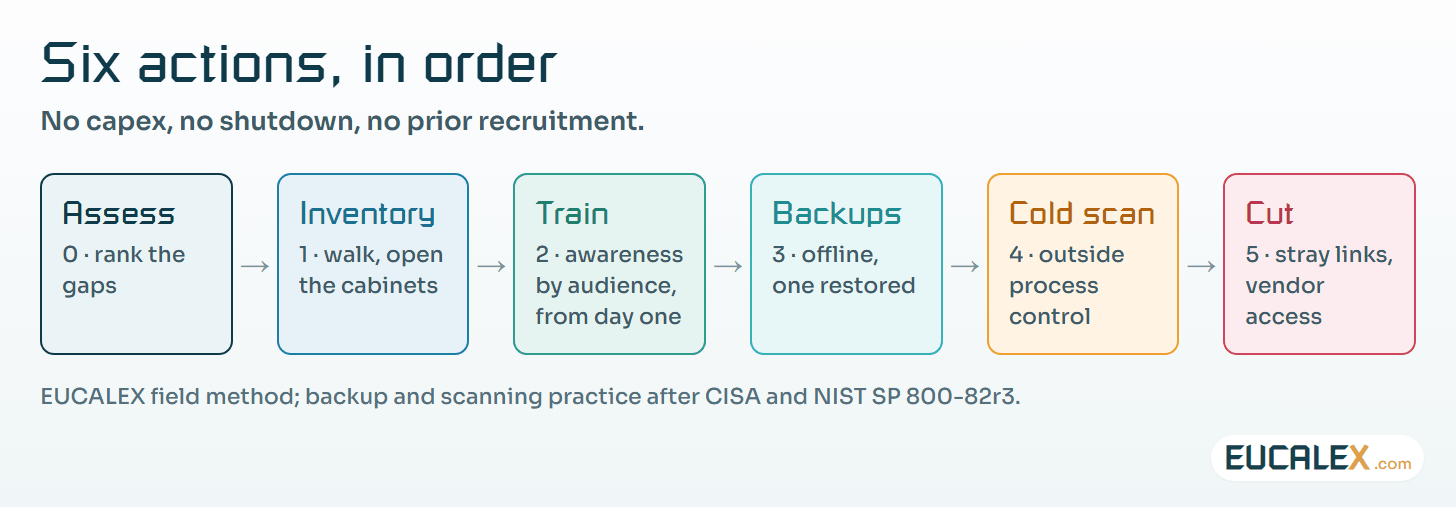
From what we see on sites, six actions cover most of what matters in the first six months, and they work best in a set order. The timings below are indicative and need adjusting to each plant. On a GMP site each of them also leaves something the quality system can use: an inventory, a training record, a restore report, a scan report, a list of removed connections.
0. Assess what exists, at a high level first
Before acting, know where you stand. Two to four weeks is enough: interviews with engineering, operations and IT, a walk round the plant, a look at the network drawings and the maintenance contracts. The aim is to rank, not to be complete. Which three or four gaps weigh the most? The detailed, topic-by-topic assessment comes later, in the medium term.
1. Build the initial inventory
What is connected, where, on which version, and who answers for it. Start with the zones where a failure would hurt most, not with the whole site. A partial inventory that is right beats a complete one that is wrong, and getting it right means walking the unit and opening the cabinets. The drawings and the existing databases are rarely up to date.
On a regulated site, the computerised-system inventory kept for validation makes a good starting list. It is rarely a network inventory, though. It names the systems, not the switch in the cabinet or the modem bolted to the skid. Start from it, then go and look.
2. Raise awareness and train the people on site
Of the six, this one gives the most for the least. The effect is immediate, the cost low, and it needs neither a technical change nor a shutdown. It is also what makes the rest stick: when the teams do not understand why, technical measures tend to get worked around within weeks.
It has to be tailored. An operator, a control engineer, a site manager and an outside contractor have different risky habits, different levers and very different amounts of free time. A shift operator needs ten minutes on what to do with an unknown USB stick and whom to call when a screen behaves oddly. A control engineer needs to understand why a laptop that travels between sites is a way in. One message for everyone achieves almost nothing. Awareness starts on day one and does not stop; in the long term it becomes a periodic programme.
3. Protect the backups and test a restore
When everything else has failed, backups are what is left. In OT the scope is specific: PLC programs, recipes, device configurations, images of the supervisory and engineering workstations. Keep them offline or properly protected, out of reach of the network they are supposed to rescue.
The US Cybersecurity and Infrastructure Security Agency (CISA) says the same in its #StopRansomware Guide: keep offline, encrypted backups, keep “golden images” of critical systems, and test restoration regularly, because “most ransomware actors attempt to find and subsequently delete or encrypt accessible backups”.
Then restore at least one. Until it has been restored, a backup is only a hypothesis, and the restore test is what turns it into evidence. On a validated system, plan the test as a documented activity on a spare machine or a test bench, so the result can be filed rather than improvised.
4. Run a cold malware scan
A cold scan checks machines outside production: engineering stations, supervisory workstations, maintenance laptops, removable media. The machine is scanned while it is not running the process, usually by booting it from a dedicated, write-protected scanning medium or by scanning a copy of its disk. Nothing gets installed and process control is left alone. It is quick and it does not intrude.
The trap is an active scan on a machine that is driving the process. Installing an agent or launching a full disk scan on a live HMI can load it enough to upset operations. NIST’s OT security guide, SP 800-82 Rev. 3, calls for controls such as antivirus “where technically feasible” and is explicit in §6.3.2.3: “Manual scanning and signature updates should be performed while the system is not critical for operations.” It also asks for patches to be tried on a test system, where possible, before they reach the live OT system. Scan cold, during a planned stop of that workstation, or on a copy.
In our experience a cold scan nearly always finds something, most often an old, dormant infection nobody had noticed. The same discipline then applies to every removable medium that comes onto the site.
5. Cut what has no reason to exist and take back vendor access
The 4G modem fitted “temporarily” six years ago. The shared account used by three teams. The remote maintenance session nobody ever closes. Removing them costs nothing. What it takes is a decision, and a site manager prepared to stand behind it.
How it is done matters as much as what is done. Pulling a link without warning operations or the vendor causes exactly the kind of disruption that discredits a security programme. Announce the change, agree the date with the process owner, keep a way back for a few days, and put it through the site’s change control. The decision is technical; carrying it out is a matter of people.
Effort, effect and the pitfall for each action
| Action | Effort | Effect | The pitfall to avoid |
|---|---|---|---|
| 0 · High-level assessment | Low | Sets priorities | Turning it into a six-month exhaustive audit. It is there to rank, not to document everything. |
| 1 · Initial inventory | Medium | High | Relying on drawings and existing databases. Walk the unit and open the cabinets. |
| 2 · Awareness & training | Low | Highest | One message for everyone. Differentiate by audience, or the effect is close to zero. |
| 3 · Protected backups | Medium | High | Backing up without ever testing a restore, and leaving backups reachable from the network. |
| 4 · Cold malware scan | Low | Revealing | Running an active scan in production. Scan cold, outside process control, on a copy if needed. |
| 5 · Cut links, take back access | Low | High | Cutting without telling operations or the vendor. The decision is technical, the execution is human. |
None of the six needs a production shutdown, a large investment or a recruitment first. The first five close once done. Awareness and training stays open, because it moves straight into the long-term routine.
What the short term is not
It is not a full audit, a tool purchase or a project with a steering committee. It is a run of simple moves, decided quickly, that lower the risk while the real project is being prepared. Those six months buy time and credibility for what follows: the detailed assessment, proper technical training, and the architecture changes that do need budget and shutdown windows.
Where to start
The first week decides whether the six months get used or just discussed. Five moves are enough:
- Name one person who owns the six actions and reports on them to site management every month.
- Book the interviews and the plant walk for the high-level assessment, with engineering, operations and IT in the same room at least once.
- Pick the first zone for the inventory: the one where a failure would weigh most on patients, people or production.
- Choose one backup and a date to restore it on a spare machine, and write down what “restored” has to prove.
- Draft the first awareness session for shift operators: ten minutes, one USB stick, one phone number.
Five common mistakes
The classic opener is a tool purchase. A probe or a platform bought before the inventory exists produces reports nobody can make sense of. Close behind comes the assessment that turns into an audit, and six months of documentation that hold back every action that would have lowered the risk.
- Trusting the drawings. The modem on the skid is not on them; it is in the cabinet.
- Scanning hot. A full scan on a live HMI can disturb the very process it is meant to protect.
- Cutting without warning. A removed link that stops a line on a Monday morning will discredit the programme for a year.
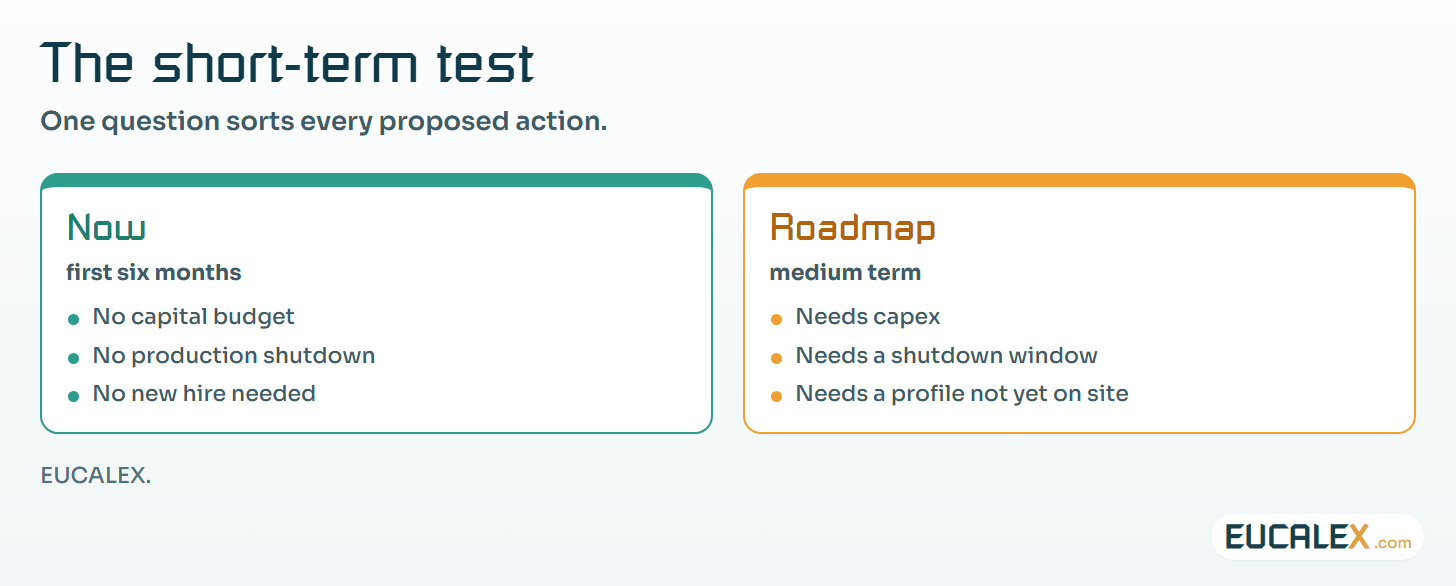
One test for any proposed short-term action: if it needs a capital budget or a production shutdown, it belongs on the roadmap. Keep the first six months for what can be done now.
References
- CISA, #StopRansomware Guide: offline encrypted backups, golden images, regular restore tests, cisa.gov
- NIST SP 800-82 Rev. 3, Guide to Operational Technology (OT) Security, September 2023, §6.3.2.3, nvlpubs.nist.gov
Related articles
All articles- Short, medium, long term: an OT security roadmap that survives shutdowns and budgetsIndustrial cybersecurity has no go-live date. Treat it as a trajectory over three overlapping horizons, planned around the site’s real shutdowns…
- You cannot ban portable storage devices. Bring them under control.A removable drive is the fastest route into an OT system, because it goes around every control you installed. Banning it produces workarounds…
- A backup is a hypothesis. A restore is evidence.“We have backups” is not an answer. The question is when you last restored one, how long it took, and whether the line ran afterwards.
EUCALEX
Have a project or a technical challenge?
Contact us: we will be pleased to discuss it with you, with no commitment.
Discuss your project with usStay informed
Receive new EUCALEX articles and technical insights by email.