
Industrial switches: where they earn their place on an OT network, and where they do not
A packaging line stops on a Monday morning. The machine is fine. The culprit is an office switch fitted in a control cabinet two years ago because there was one in the stores, sitting at 47 °C behind a variable-speed drive. One power supply, no alarm contact, and nobody noticed it failing until the line did.
The opposite case is just as common: industrial switches bought for an air-conditioned server room, at three times the price of an enterprise switch, with a quarter of the ports and no throughput to spare.
An industrial switch is a switch designed for a different place and a different job, which does not make it a better one. Below: what the hardware buys, what the network features buy, what each industrial protocol needs from the network, and how to decide location by location.
What makes a switch industrial: the hardware
The first difference is physical, and it decides how long the switch survives where you put it.
- Temperature. Industrial models are specified for continuous operation over a wide range, commonly −40 °C to +70 °C, without a fan. Office switches are specified for roughly 0 °C to +45 °C with airflow. Measure inside the closed cabinet, next to the drive, in August. The room thermometer tells you nothing.
- No moving parts. Fanless cooling and conformally coated boards cope with dust, condensation and cleaning agents. A fan is a consumable, and in a cabinet it is also a dust pump.
- Vibration, shock and electrical noise. Industrial products are qualified against the generic industrial immunity standard IEC 61000-6-2, and against sector standards where they apply: IEC 61850-3 and IEEE 1613 for substations, EN 50121-4 for railway installations.
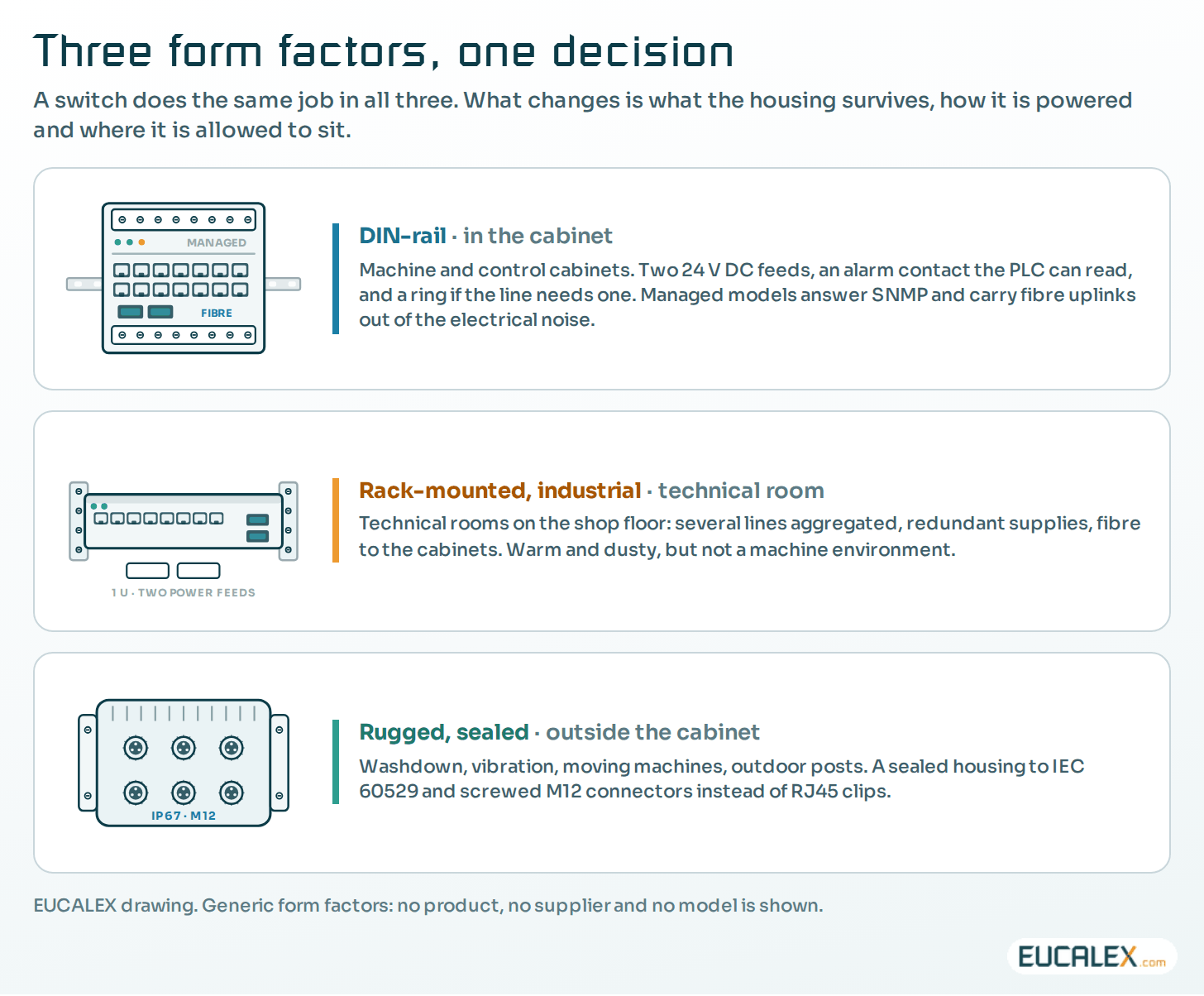
- Power. DIN-rail models run on 24 V DC, usually with two independent inputs, so losing one supply does not stop the switch. They also carry a dry alarm contact a programmable logic controller (PLC) can read directly, the cheapest network alarm you will ever wire; see the UPS is installed, nobody told the PLC.
- Mounting and protection. DIN rail for cabinets, IP-rated housings (IEC 60529) for units mounted on the machine, M12 connectors where vibration would work an RJ45 loose.
- Lifecycle. Industrial families stay on sale and keep receiving firmware for many years, which matters when the line they serve will run for fifteen.
Three form factors cover most sites: DIN-rail switches inside machine and control cabinets, rack-mounted industrial switches in technical rooms, and rugged units for outdoor or machine-mounted use. The place decides, not the traffic.
What the network features buy: recovery, priority and diagnostics
The second difference shows when something breaks.
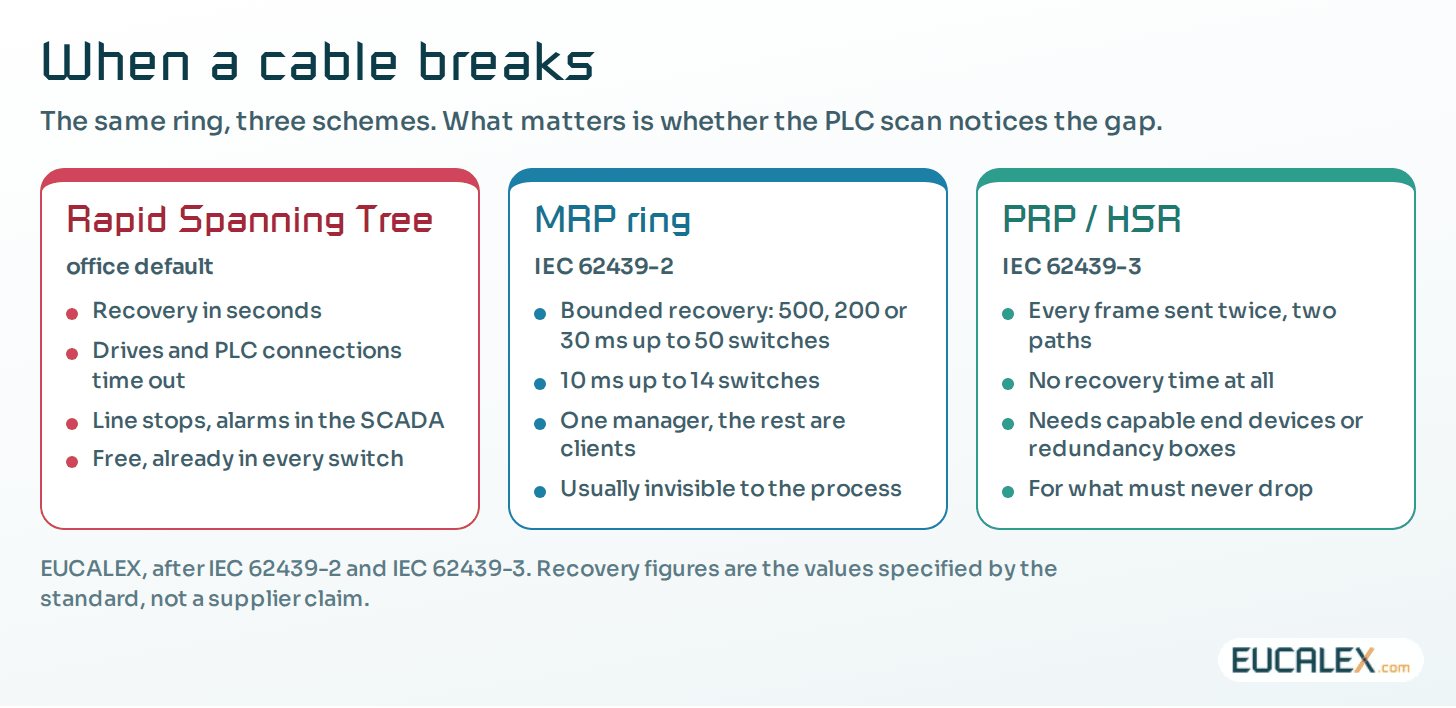
- Ring redundancy. The Media Redundancy Protocol (MRP, IEC 62439-2) recovers a ring in a bounded time: the standard specifies worst cases of 500, 200 or 30 ms for rings of up to 50 switches, and 10 ms for rings of up to 14. The Parallel Redundancy Protocol and High-availability Seamless Redundancy (PRP and HSR, IEC 62439-3) send every frame twice over two paths, so a failure costs no recovery time at all. Rapid Spanning Tree, the default on office equipment, is measured in seconds.
- Priority. Quality of service marks control traffic so that a file copy or a camera stream cannot delay a PLC cycle. On a flat office switch, all traffic is equal.
- Multicast control. EtherNet/IP can send its cyclic input data as multicast, and many installed cells still do, even though recent devices often default to unicast. Without IGMP snooping and a querier, that multicast floods every port and can bring a line down.
- Time. Precision Time Protocol (IEEE 1588) distributes time with microsecond accuracy where events must be put in order. Time-Sensitive Networking (the IEEE 802.1 set) reserves bandwidth for cyclic traffic on shared infrastructure.
- Diagnostics the automation team can see. Industrial switches report link loss, power loss, ring state and topology changes to the PLC and the supervisory control and data acquisition (SCADA) system, and not only to an IT monitoring tool. A device description file lets the switch appear in the automation project like any other device.
- Power over Ethernet. One cable carries data and power to cameras, access points, scanners and thin clients: IEEE 802.3af gives 15.4 W at the source, 802.3at 30 W, 802.3bt up to 90 W. Budget the total, not the per-port figure.
What each protocol needs from the network
Specifications often go wrong here, because the requirement gets attached to the wrong layer.
| Protocol | What it is | What the network must provide | Watch out |
|---|---|---|---|
| PROFINET RT | Cyclic real-time I/O over standard Ethernet frames | Switched full-duplex Ethernet with priority; managed switches for diagnostics (conformance class B) | RT does not need special switch hardware; conformance class C (IRT) does |
| PROFINET IRT | Isochronous real time for motion control | Switches with PROFINET IRT hardware support, engineered topology | Cannot be added later by configuration |
| EtherNet/IP | ODVA adaptation of CIP over Ethernet | IGMP snooping and querier, quality of service | Multicast floods an unmanaged switch |
| Modbus TCP | Simple request/response over TCP | Any switched Ethernet | No priority and no authentication: put it in a controlled zone |
| EtherCAT | Fieldbus that processes frames on the fly | Its own segment, EtherCAT junctions and couplers | Do not plan to carry device-level EtherCAT through standard switches |
| BACnet/IP | Building automation over UDP, broadcast-based | Broadcast forwarding inside the subnet; a BACnet Broadcast Management Device (BBMD) to cross subnets | A “gateway” is rarely needed; BACnet/SC removes the broadcast problem |
Two corrections are worth making in almost any specification. PROFINET RT runs on ordinary switched Ethernet; what pushes a site towards industrial managed switches is the environment, the ring, the priority and the diagnostics, and not the protocol as such. And BACnet/IP crosses subnets with a BBMD, or with the newer Secure Connect variant, rather than with a protocol gateway.
Deciding location by location
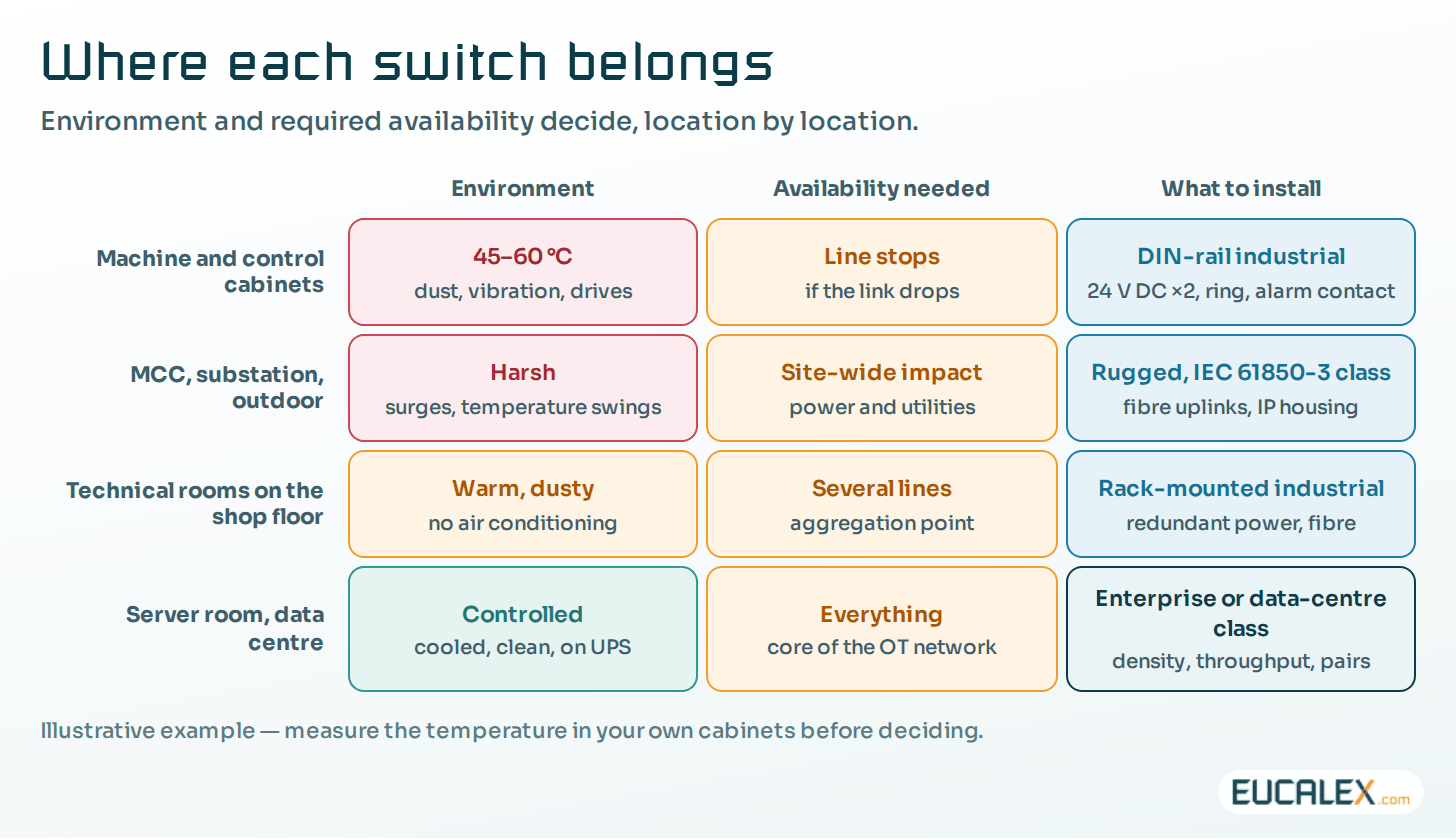
“Industrial switches everywhere” is not a rule, it is a budget line. The useful rule is to match the switch to the place first, then to the availability the process needs.
| Criterion | Industrial switch | Enterprise switch | Why it matters |
|---|---|---|---|
| Temperature | −40 to +70 °C typical, fanless | ~0 to +45 °C, fans | A closed cabinet runs 15–20 °C above the room |
| Power | 24 V DC, two inputs, alarm contact | Single mains supply | Cabinet power fails differently from room power |
| Mounting | DIN rail, IP-rated, M12 options | 19-inch rack | Nothing to rack next to a machine |
| Redundancy | MRP, PRP/HSR, sub-second rings | RSTP, MLAG, seconds | A drive trips long before RSTP converges |
| Port density | 8 to 28 ports, modest backplane | 48 ports, high throughput | Aggregation still belongs in the technical room |
| Diagnostics | Alarm contact, SNMP, automation device file | SNMP, IT tooling | Production sees faults without an IT ticket |
| Lifecycle | Long availability and firmware support | Faster refresh cycles | The line outlives three office switch generations |
| Cost per port | Higher | Lower | Pay for the environment where it is needed |
What an industrial switch does not do
A rugged switch in the cabinet does not, on its own, make an OT network secure or reliable.
- It segments nothing by itself. Zones and conduits are a design decision; see zones and conduits: start from the risk and the framework in Purdue, ISA-95 and IEC 62443.
- A VLAN is not a zone. The two words are not interchangeable, and the difference decides who can reach the PLC; see isolated, VLAN, security zone.
- Redundant hardware is not a redundant design. A ring with both ends on the same distribution switch, or two power inputs fed from the same circuit, buys nothing. Ask of each design which single failure it actually survives, and check the answer on the drawing and in the cabinet.
- It still has to be managed. Firmware, accounts, certificates, configuration backups and change control apply to switches as to any other component. The security requirements for network devices are in IEC 62443-4-2.
Eight lines for the specification
- Temperature and environment measured in the cabinet, in the worst month, not taken from the room.
- Power: 24 V DC, two inputs, from two circuits, with the alarm contact wired to the PLC.
- Redundancy protocol matching the automation platform and the topology: MRP ring, PRP/HSR, or none if the process tolerates a restart.
- Ports: copper, fibre uplinks and spares, with the fibre type and connector stated.
- Power over Ethernet budget in watts, per switch and per cabinet.
- Protocol conformance: PROFINET device file and conformance class, EtherNet/IP with IGMP snooping and querier, whatever the automation team will actually configure.
- Management and security: SNMPv3, centralised accounts, port security, secure boot and signed firmware, with a reference to IEC 62443-4-2.
- Lifecycle: guaranteed availability and firmware support period, and who applies the updates during a shutdown.
Five mistakes we keep seeing
- Industrial switches in the server room, standard switches in the machine cabinets: exactly the opposite of what the environment calls for.
- Specifying a ring, wiring a star. The redundancy protocol is configured; the second fibre path was never pulled.
- Leaving multicast unmanaged. An EtherNet/IP cell on unmanaged switches floods, and the first symptom is an intermittent stop nobody can reproduce.
- One power feed for two inputs. Two terminals, one circuit breaker, and the redundancy exists only on the data sheet.
- Nobody owns the switch. It is in no maintenance plan, outside change control, and its configuration lives only on the device.
Choose an industrial switch for the environment, the availability and the diagnostics. The fact that the traffic is industrial is not, by itself, a reason.
References
- IEC 62439-2, Industrial communication networks, High availability automation networks, Part 2: Media Redundancy Protocol (MRP); IEC 62439-3 for PRP and HSR.
- IEC 62443-4-2:2019, Technical security requirements for IACS components.
- PROFIBUS & PROFINET International, *PROFINET System Description* (2018): conformance classes and IRT.
- Rockwell Automation, *Unicast or Multicast Connection*, EtherNet/IP I/O module documentation.
- BACnet International, *BACnet and the Internet*: BBMD and BACnet Secure Connect.
Related articles
All articles- The UPS is installed. Nobody told the PLC it was about to lose power.On a lot of sites (including brand-new ones) the UPS is present, wired and green. And it still does not do half of what it was bought for.
- Siemens networks from PPI to PROFINET: what each one is, where it still runs, and how to keep it workingAn older plant often runs four Siemens networks at once: a PPI or MPI programming link, PROFIBUS to drives and remote I/O, a Modbus device behind a…
- Essential, Premium or Platinum: which network does each industrial site need?Three network architecture levels for industrial sites: what each one doubles, what it survives, how it is secured, what it costs, and when to…
- Isolated, VLAN, security zone: the words are not interchangeableFour words that get used as synonyms in meetings. The actual protection level of an industrial network depends on which one you really have.
EUCALEX
Have a project or a technical challenge?
Contact us: we will be pleased to discuss it with you, with no commitment.
Discuss your project with usStay informed
Receive new EUCALEX articles and technical insights by email.